

 The Mobile App
The Unofficial LEGO Minifigure Catalog App is a must for every LEGO enthusiast! It contains information about all the Minifigures and Sets from the early beginnings through 2011. Also included are Non-Standard Scale figures such as Duplo, Fabuland, and Belville. Professional high-resolution photographs of every Minifigure and the associated data are included. Browse the Minifigures and Sets by theme or year. The Unofficial LEGO Minifigure Catalog App can even import/export your data to Brickset.com. The Unofficial LEGO Minifigure Catalog App can even import/export with your data on Brickset.com. The App is available for iOS and Android.
 |
 |
Demonstration
Enjoy this demonstration of the app. It will show you all the main features of the app.
Features
- More than 3900 Minifigures, 1400 Non-Standard Scale figures, and 780 Heads listed
- High-resolution photographs of every Minifigure
- Thousands of LEGO sets listed
- Browse by theme or year
- Search by name
- Manage favorite Minifigures
- Mark the Minifigures you own
- Import and export with Brickset.com account
- Advanced downloading and caching technology
- Regular updates
Screenshots
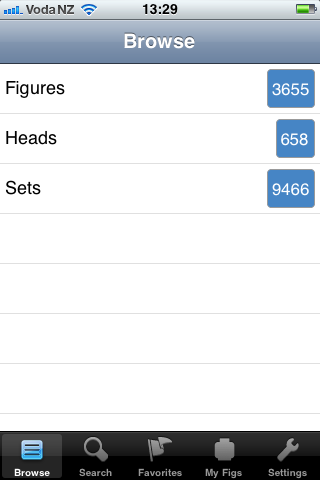
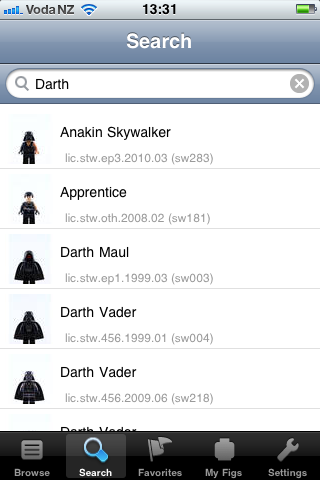
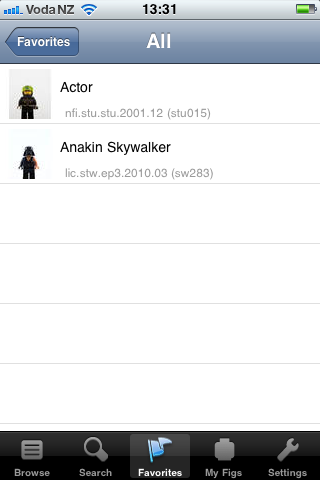
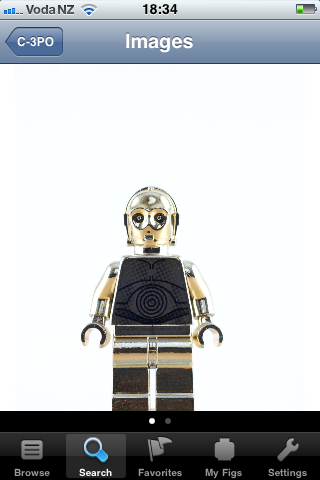
Here are some screenshots taken on an iPhone 3S. The resolution on new models and the iPad are of course much higher.
 |
 |
 |
 |
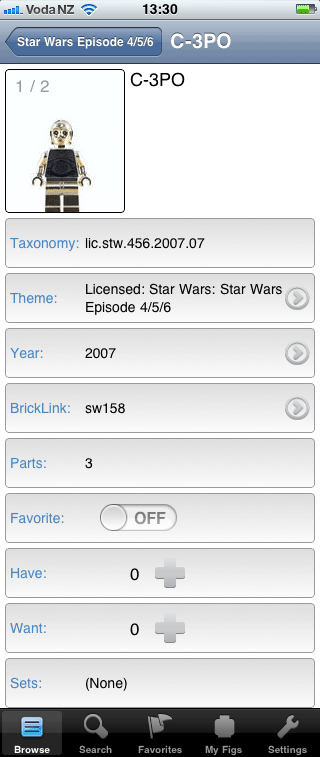 |
System Requirements and Limitations
- The App runs on all iOS devices, including iPad, iPhone and iPod Touch. iOS version 4 is required.
- The minimum version for Android is 2.1
- The application uses your internet connection to download the images the first time you look at them. We recommend using a WiFi connection to avoid possible charges from your network provider. Once loaded the images are cached on your device and no further internet connection is required.
- A Brickset.com account is necessary to import and export data to it. Please notice that neither Brickset.com nor our App is able to resolve version conflicts. If you edit the same figure on both the App and the website, then one of them will be lost. It is also possible that Brickset.com has Minifigures that are not yet in our App and vice versa.
Support
Please let us know if you experience any problems with the App. You can leave a comment below or send us an email at support@minifigure.org.
QR Code
Use this code to get to the stores directly:
|
|
|


How about some android love?
Yes, Android is a great platform and we will have a closer look at it. We are more familiar with the iOS platform and hence we will start with it.
How about some Windows Phone 7 Love…
Great book, great app too!
A Dutch developer of apps was forced to take down an app that contained all (?) building instructions of Lego sets.
See here: http://www.speak.nl/speak-ontwikkelt-internationale-iphone-lego-applicatie
Nevertheless: keep building that app! ;-)
The building instructions are copyrighted material and hence LEGO took action. I took all the photos myself, so I hope that this will not be a problem. I hope…
Have installed and am now using to catalogue my son’s (yes -and mine) minifigs. Mostly for identifying which bit from the bottom of the bucket make up which minifig.
While overall easy to use, I have found a couple of things.
1) and this is just a case of interpretation of meaning I think – when viewing a set, the number of minifigs seems to mean number of different minifigs in set and not the total number – eg in the Imperial Hoth Battle Pack there are two of sw115 (Snowtrooper) giving 4 minifigs in total.
2) possibly an error in the cataloging, Advent Calendar 2010 – Pirates. The set description says no minifigs when there are about 8. And the set itself does not come up using the search function using either “Calendar” or “Advent”.
Perhaps a short introduction to the app would sort out the misunderstanding with point 1, and point 2 is just an oversight.
.
Perhaps in
G Leggett,
Thanks for trying the app!
1) Correct, we list the number of unique figures, not the total number of figures. Unfortunately, the only data we have is from Brickset.com, which contains the number of unique figures and not totals.
2) Thanks for reporting this! We will look into the data error.
Your suggestion for a short introduction in the app is great. We hope to add one shortly.
Thanks!
Bought the app. Great idea you have! Thinking about getting the book too.
One question though. When I import from Brickset it says something to the effect of “107 unique minifigs were found, 75 of which are in this app.”
Any idea why it doesn’t download all the minifig info? I thought the app/book has almost all minifigs?
Dear Shawn
The book and the app list Minifigures until 2010. We are. Ow working on the data of 2011. Hence the mismatch between BS and the app. Buy there will always be some slight differences since we maintain our own and hopefully most correct database.
Hi, Does HTC Desire HD at android 2.3.5 can support or install this app ?
Hi Dean,
Yes, the HTC Desire HD is a supported device.
Is there a place where I can download all the images for the app. I only use WiFi on my iPad2 and I would have to go through every screen to get all the images to download so I could see them off-line. Of course I don’t mind going through the screens, but it would take wayyy too long to try and do it all at once.
Thanks
Dear Michael,
This is a features that we were considering, but were not yet able to implement. All the images also add up to several GB of data, so I am not sure if this would be possible solution for many users.
Maybe you could release it in chunks by Year or Sets then? That way people can get only what they are after.
So what happens if someone doesn’t have any more room on their device? DO the new images show up or do they say something about not having room to download them?
Thanks for the reply
If you do not have enough room on your storage card (Android) or internal storage (iOS), the new images will be downloaded and shown for each screen but may disappear if you navigate away from that screen.
Hi great app when will a 2012 minifig update be available i.e. series 6 + 7 Olympics etc.?
These minifigurea are currently in production. Give it another week or two.
Just got this app for my android phone and I love it. I’m rebuilding all my CMF collection for display and this app will help a lot, especially for the heads.
One thing lacking from this app is an easy way to browse the high-resolution photos for when I’m not researching but just want to look at the beautiful pictures. It would be great if at each level (metadata screen, high-res photo screen), there is a way to go to the next minifigure in the list without having to navigate back to the main listing. Perhaps some invisible arrows at the screen corners?
Navigation is currently a bit sluggish with the ‘loading’ message coming up constantly. Is this due to the app having to pull photo data from the server? Maybe you can allow the user with a lot of storage to download ALL the images or allow the user to download image packs by year. Or is even part of the database itself online and thus this app can never be used offline even with all the images downloaded?
Thanks!
Dear Robert,
Yes, the App loads the images from a web server. It then stores it on your device. The second time you look at a photo, it should load quickly. The whole database of images is several GB. We therefore did not assume that anybody wants to have them all on their device.
Thank you for your feedback!
/c
Hi there, just bought the app including all updates (minus non minifig). I love it, but when i wanted to showoff everything froze (blank screens). Im on an iphone 3gs with ios 4.xx
Please advise! Cheers
I have bought the minifigure app from the app store and it’s a great iPhone app for a Lego minifigure collector like me!
BUT the only issue I can see is when i make a figure as “wanted” it adds it as a wanted item in the minifigure page itself but there’s no minifigure “wanted list” like there is a “my fig” tab but there is no where to see all the wanted characters you have marked
Hope you can fix this
Thank you
Ryan
Hi there.
I’ve had the app for several months now and I love it!.
It’s a wonderful source for all of us LEGO fans.
For a future update: With so many figs in the database, would a feature to pull up a random minifigure be possible?
Thanks!
Hi there!
Thank you for your Android App!
When can we expect the 2012 update?
Thank you!
Dear Christoph,
I am currently photographing all the 2012 Minifigures and hope to have it all done by March.
Hi, love the work you have put into the app. Do you have an update/ETA on the 2012 minifigures? Thanks
Should be March.
I don’t doubt your drive in making the catalog, but all 2012 minifigs were available in oktober. It’s five months later now. One of the advantages of the app should be that it’s more up to date than the books. But now it’s the other way around.
Dear Jack,
Please notice that most of the Hobbit Minifigures and several Batman Minifigures were only available in November/December 2012. I can really only start working in mid January. I am sorry if this is not fast enough for you.
Hello!
Awesome app! I’ve owned it for a while now and can’t help but notice that there is a way to mark wanted minifigures, but no way to view them in a list. The only way to view which minifigures are wanted is to click on each one individually. I’m hoping for an update or response sometime soon!
– Thanks and take care
How much for the in app purchase in you iPad application
Thanks
It is $0.99 for the annual large updates.
Hi, i downloaded your app. It’s nice to have, but I’m very limited in it’s use because of the lack of internal storage on my Android phone(i have a cheap phone). The app seems to increase the use of internal storage the more you search for minifigures(I guess the images are cached). Would be nice if I can prune whatever is being stored without erasing all the app data. The only way I can store my collection is with a brickset account and not 1 on 1.
I thought it was free until Oct? Why is it charging me $2?
I really like this App idea though
Google Play does not allow us to temporarily give the app away for free. It is a constraint from Google. I am sorry for this.
Hi , i really like the app but i have a questions is there a way to download all the content at once? ive been trying to load little by little but i will have to go to all the minifigs to make sure i have all of them and its taking too long.
thanks
Dear Paco,
We do indeed only download the images once you look at them. They are then cached and available offline. We cannot make all the images available at once, since that would take several GB of data. Users would struggle with the installation of the app.
I hope this clarifies the setup.
/c
I had been posting in the book forum, there seems to be more action in the app forum. Here is a copy and paste from the other section for anyone interested (it is a few comments spread over a day all merged into a single post)
Can you help me with the location of head ’3626ap01 – Minifig, Head Standard Grin Pattern – Stud Solid’. Note that this solid stud, not recessed or hollow. Brick-link has it released in 3 sets during 1991. Each set seems to have a few minifigures. I cannot link the head to figures in the unofficial app. Any help getting these heads to the correct figures is appreciated.
This link may show where some of the heads were used, I would just feel more accurate if multiple sources showed the same data. http://www.peeron.com/inv/parts/3626ap01
Last night I asked this question at the bricklink forum and received some very helpful responses including http://www.leggodt.nl/items/lego/themes-minifigs.php?language=en
I believe that the current version of the catalog / app shows that minifigures from 1978-1989 should have the standard grin pattern – hollow head “3626bp01″ this is incorrect and should show that these figures need head “3626ap01″ – a standard grin with solid stud head, as the hollow head did not come out until 1990. This could be as many as 700 minifigues cataloged without the original authentic head.
Jeff
Bricklick has a generic head rule stated here
http://www.bricklink.com/help.asp?helpID=200
calling out:
Heads – For figures with moveable arms and legs always use a head with an open stud. When there are 2 entries in the catalog for the same head, one with an open stud and one with a solid stud, always use the one with an open stud. Only figures using old type torsos and/or legs (part no 17 and 15 respectively) can have solid stud heads.
I believe that this corrupted bricklink data for 1978-1989, and further, as these heads should have a standard grin solid stud but the community was pushed to document them with hollow stud heads
a further search on bricklink for 3626a* (wildcard in search) shows a handful of other solid stud printed faces from the 1989 area that may have also been pushed to be later archived as hollow
http://www.bricklink.com/catalogList.asp?q=3626a*
Jeff
My kids and I love this app! Thank you so much!
Maybe this is a setting I am missing however when I look at the app on my phone, it displays well but when I look at it on my tablet I only have half a screen because the browse/setting menu is taking the other half. Is there a way to go to full page on my search results etc?
Hi, Love the app but have a HUGE problem with it. Navigation on the iPhone(6) is NOT working. It seems that the menu bar navigation is extended to fill the entire screen even overlaying my carrier info etc. As a result clicking to navigate backwards is not working robustly.
I have an iPhone 6 as well and it sort of works. I aim for bit lower. I have asked Nic to improve this in the next version.
Hi Christoph, seems to be much better now since new (Dec 1) version.
Hi, I am having a problem with in app purchases. I purchased 2011 data ( I want them all but tested the app with 2011) but it still shows as not purchased on my app. I have received my invoice from Apple so have been charged.
I have clicked the update purchases but it just seems to spin forever. What can I do? Do I ask Apple to refund me and re-purchase again?
Just wondering when there will be an update for the 2015 figures and do you intend to do part updates during the year? Thanks.
I have prepared all the meta data but I am struggling with getting my hands on all the minifigures. LEGO produced 700+ figures in 2015. If you are a minifigure collector or if you simply have a substantial number of the 2015 figures then please let me know.
Hi Christoph,
I saw on Brickset that the new 2015 book is out and that a new collection for 2015 is available in the app as an in-app purchase. However, I do not see the 2015 collection to purchase in my version of the iPhone app (version 17).
Can you advise?
Thanks
Keith
The 2015 in app purchase is available. It just took a few more days than the book.
Hi,
I cant Import fron Brickset…
I habe changed password, reinstalled the app and logged in and out several times…
It worked fine a couple a daysago. What can be wrong?
Best regards
Veronica
Will the app be constantly updated?
I’m considering buying all the in app purchases. It’s the most comprehensive database app.
Best wishes
Lawrence
Maintenance updates are certainly planned and I am currently working on getting the 2016 Minifigures. I will try my very best to keep on updatind the App and the books.
Hi! I’d like to help you… i’m in a large group of collectors… maybe we can help you with the pictures of the sets that you need…